
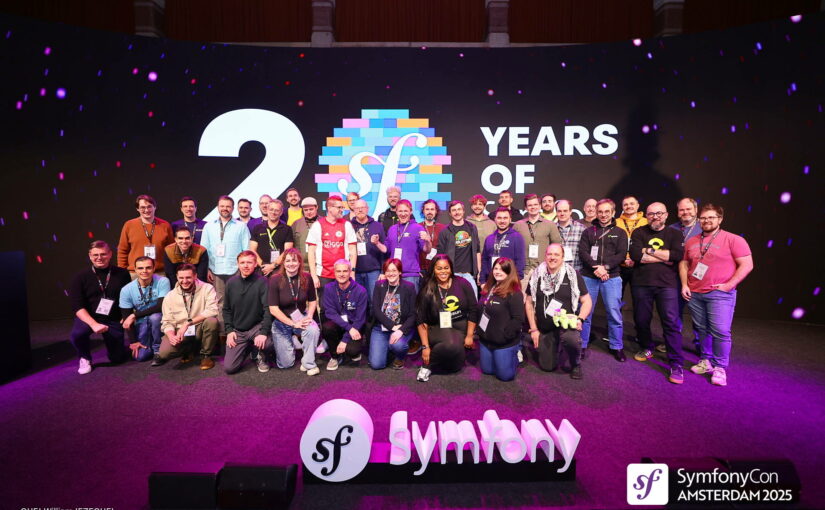
SymfonyCon 2025: My First International Workshop Experience

Intro

Oh wow — it’s already over, but I’m still riding the emotions from this conference. That’s why I’m here, writing this article for you. I hope you can learn something from my experience and maybe you’ll soon find yourself as speaker/trainer at your very first conference — either in your country or abroad 🙂

I’ve been a public speaker since 2023, and ever since then I’ve been applying to multiple conferences. I’ve spoken at events across Poland, sharing my experience and ideas, but for a long time I couldn’t quite make it happen abroad… until SymfonyCon 2025! I’m truly happy it finally worked out 🔥

My speaker badge

In this article, I want to cover everything related to this trip, so treat it as a practical guide on how to apply, prepare, and perform on an international stage — especially if you’re thinking about submitting your own talk or workshop.

SymfonyCon is the flagship annual conference for the Symfony community — the main event for anyone building with Symfony in PHP. There’s only one SymfonyCon each year, but the ecosystem also includes local SymfonyDay and SymfonyLive conferences/meetups, as well as SymfonyOnline, the online-only conference.

I’ve decided to apply with multiple talks and one workshop, but only the workshop got selected – Refactoring towards Clean Architecture. In this workshop I teach how to refactor the application written in a framework way into Clean Architecture. You can find more (what it is about, outcomes, agenda, etc.) on the dedicated page.

Continue reading SymfonyCon 2025: My First International Workshop Experience

Repozytorium ustawień w PhpStorm / WebStorm

Cześć

Miał być post w niedzielę, jest w poniedziałek! 🙂

Dzisiaj krótko. Mało kto wie o wspaniałej wtyczce do naszego IDE – Settings Repository. Pozwala nam na zapisywanie ustawień aktualnego projektu do zewnętrznego repozytorium (polecam Bitbucket). Dzięki temu mamy te same ustawienia w domu, w pracy, czy w każdym innym miejscu. Ustawienia się synchronizują w pełni automatycznie. Więc w nowym miejscu możesz się poczuć jak w domu.

Konfiguracja

Continue reading Repozytorium ustawień w PhpStorm / WebStorm

Running and debugging Karma in PhpStorm / WebStorm

Hello!

Recently I wrote a post about configuring the Karma with RequireJS and PhantomJS (http://damian.dziaduch.pl/2015/09/12/karma-among-with-jasmine-requirejs-and-phantomjs/).

Today I’d like to move on and use the Karma inside the IDE instead of terminal. Before we start make sure you have installed & enabled Karma plugin and JavaScript debugger plugin in PhpStorm. I’m going to work on my previous example.

Continue reading Running and debugging Karma in PhpStorm / WebStorm

PhpStorm Refactoring tutorial, part 3 – moving the class

Welcome in third part of my tutorial!

Today we are going to learn common thing while code refactor – class movement.

What I always did was to manually move the file in the Finder and then changed it’s namespace in the IDE. Finally I had to search whole project for class name etc. But PhpStorm can do all of that with one simple action.

I’m going to move the class \app\models\User to \common\models\User (Yii2 project).

Let me show you the beginning of my class:

<?php
namespace app\models;

use yii\base\Exception;
use yii\base\Model;
use yii\base\NotSupportedException;
use yii\web\IdentityInterface;

class User extends Model implements IdentityInterface
{

First thing what you need to do is to move the cursor into class name and open refactor menu (right click -> refactor, or press ctrl + t) and choose Move.

Fill the target namespace. I always check two checkboxes, Search in comments and string and Search for text occurrences. This will allows us to refactor the PHPDoccomments and other places where the class name exists.

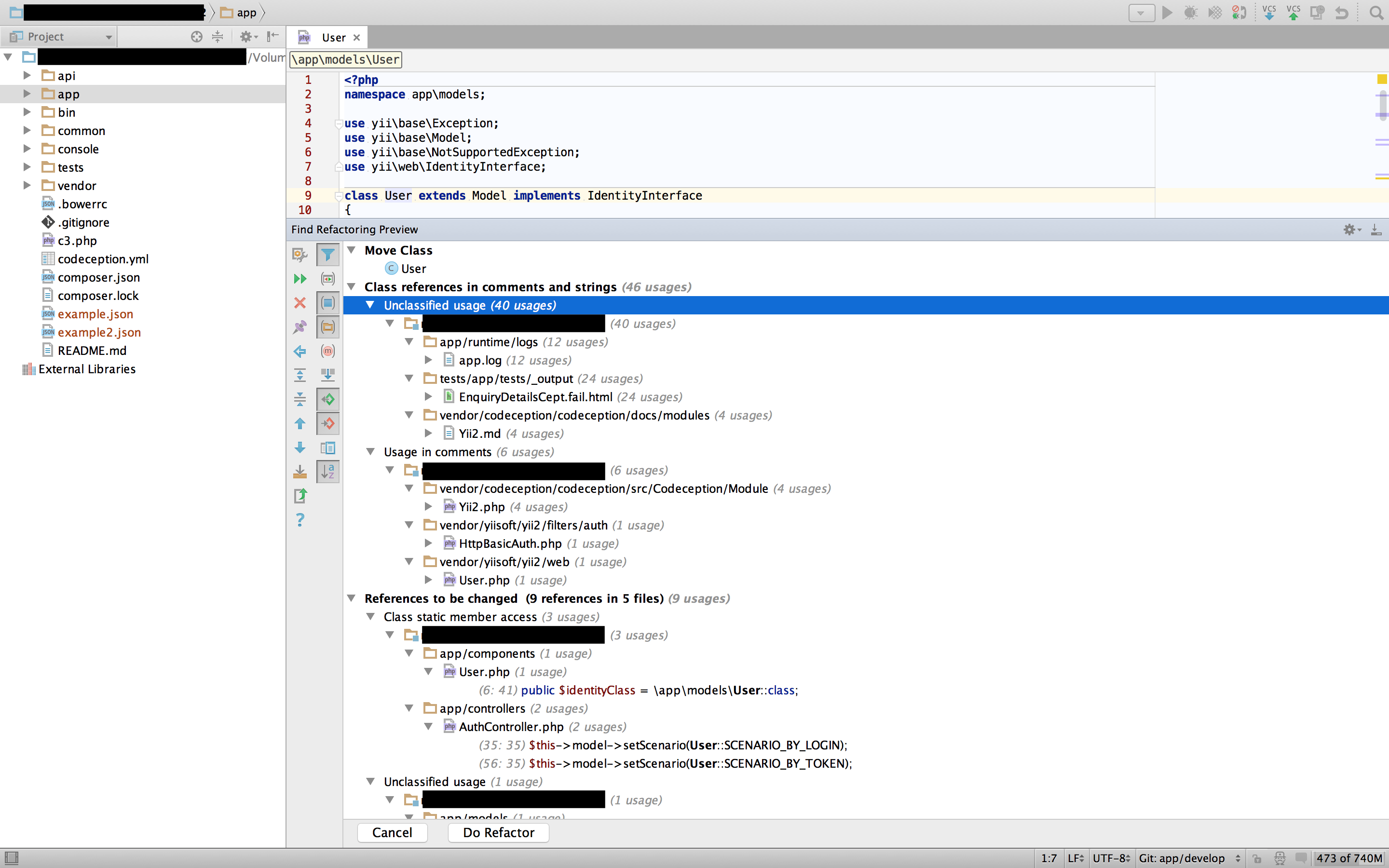
Before pressing the Refactor button, I recommend to Preview the changes. All found places you will see on the list like this:

class move refactor

With second mouse button you can exclude results from refactoring. When you’re done, press Do Refactor. Now run your tests. Everything should work like as a charm!

Thank you for reading. Have a good day!


PhpStorm refactoring tutorial – part 2 – method extraction

Hello again.

This will be quick. Let’s take an example:

public function testAction($firstName, $lastName, $address)
{
    $data = ['firstName' => $firstName, 'lastName' => $lastName, 'address' => $address];
    $filteredData = [];
    foreach ($data as $key => $value) {
        $filteredData[$key] = str_replace('!@#$%^&*(', '', $value);
    }

    return $this->render('test', [
        'data' => $filteredData
    ]);
}

This method is doing too much. We want to extract new method which will filter the data and return the result. Please highlight the marek lines and press Refactor This button (ctrl + t). Choose Extract method. New window will appear. You can now customise your new method –  parameters order, visibility, PHPDoc and many many more. Im most cases you only need to add new method name and press enter – IDE fills all needed data for you. In this example I named new method filterData. Here’s the code after quick refactor:

public function testAction($firstName, $lastName, $address)
{
    $data = ['firstName' => $firstName, 'lastName' => $lastName, 'address' => $address];
    $filteredData = $this->filterData($data);

    return $this->render('test', [
        'data' => $filteredData
    ]);
}

/**
 * @param $data
 *
 * @return array
 */
private function filterData($data)
{
    $filteredData = [];
    foreach ($data as $key => $value) {
        $filteredData[$key] = str_replace('!@#$%^&*(', '', $value);
    }

    return $filteredData;
}

And that’s all :). Enjoy and tuned for next part. Cheers!